|
Floppy Discs
In Music
|
|
|
Floppy Disk Density
|
|
Today's HD or "high-density" floppy-disk storage format has been around since
1987. It stores about 1,440 kilobytes of data on the two sides of a 3-1/2" floppy disk.
The previous generation of formatting is DD or "double-density".
It maps out just 720 KB
on a nearly identical disk. You can often use either
HD or DD disks as long as they're formatted correctly. Although
their recording surfaces are formulated differently, there's no harm in trying to substitute media.
|
|
Disk Sides
|
|
Today, all floppies are double-sided, meaning they're okay to record
on both sides. Originally, only one side of a floppy disk was
recordable. Single-sided, double-density disks are
called SSDD or 1DD. The floppies you buy today are rated 2HD (double-sided, high-density).
At first, single-sided disk drives were more reliable because they
have only one movable recording head. Double-sided drives have two
movable heads, one above and one below the disk, making them more susceptible to
crosstalk. But by the mid 1980's most drives accepted double-sided double-density disks, called DSDD or 2DD.
|
|
Floppy Disk Notches
|
|
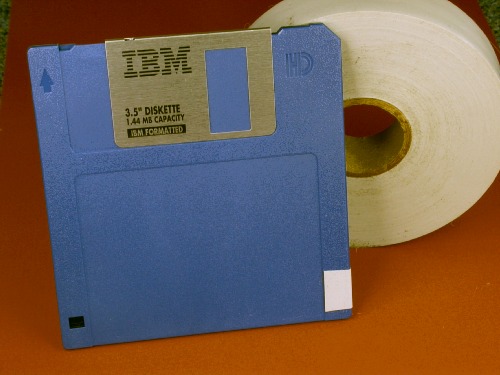
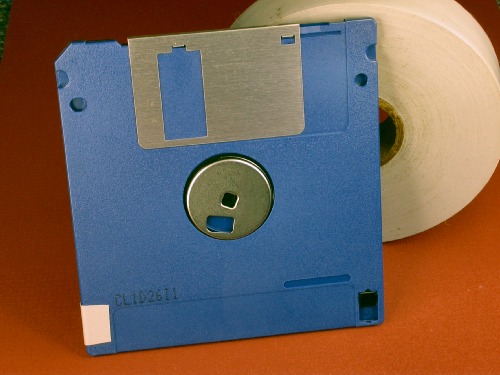
High-density floppy disks have two notches in their plastic shell whereas
double-density disks have just one.
Every disk's Left side has a write-protect notch with a shade that you can
slide open to prevent the drive from writing to it.
A second notch, on the right side, tells the drive that the disk is high-density.
Not all drive units and operating systems have a sensor to
check for this right-hand notch, however.
For example, the Korg® X3 synthesizer accepts disks with or without the
HD notch. But Microsoft® Windows® won't treat a disk as double-density if
the notch is present. You must put tape over the HD notch
to fool Windows into treating it like an older disk.
Any tape is okay as long as it blocks light.
|
Formatting A Disk As
Double-Density In Windows®
|
|
-
Tape over the floppy disk's density notch if it has one.
-
Insert the disk into your computer's floppy disk drive.
-
Select or type "run" in the Windows Start menu, or just press:
<WINDOWS KEY> + R
-
In the Run dialog, type:
CMD <ENTER>.
If CMD is already there, just press <ENTER>.
-
In the command window, type:
FORMAT A: /T:80 /N:9 <ENTER>

For more information on your operating system's Format command, type:
FORMAT /? <ENTER>
To toggle the command window into or out of Full Screen Mode, press:
<ALT> + <ENTER>
After formatting, you can drag and drop files to the disk
using Windows. You can also load and save to it from a synthesizer like the Korg X3.
|
®See trademark owners
HERE.
|
|