| BustedGear.com |
| Shop | Repairs | Manufacturers | Resources | iFAQs | About |

|
|||
| Yamaha® FS Keybed | 1: Key Contacts | ||
|---|---|---|---|
|
Last Page < |
Page Bottom ∨ |
Next Page > |
|
|
|
|||
|
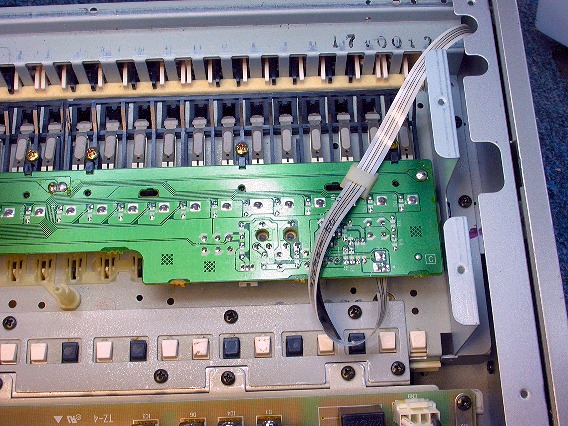
This photo shows an FS keybed inside a Yamaha MOTIF6 synthesizer. With the MOTIF's bottom cover off, most key contact problems can be fixed. First, put a block under each end of the inverted keyboard so there's room to operate the keys from underneath. |
|
|---|---|
|
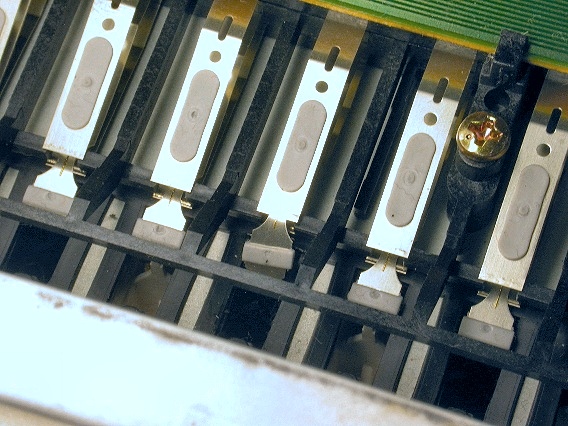
This photo shows five key switches. The center switch has an unwanted crease in its moving contact. Above and below moving contacts are two fixed contacts. The moving contact should rest firmly against the upper contact until the key pushes it down to hit the lower contact. |
|
|
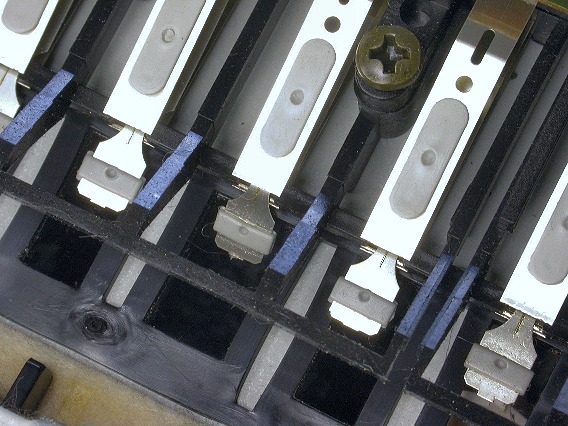
The amount of time between the upper contact opening and the lower contact closing sets the note's MIDI velocity. In this photo, the note with the bent moving contact triggers earlier than the others. Its key pusher moves it earlier. |
|
|
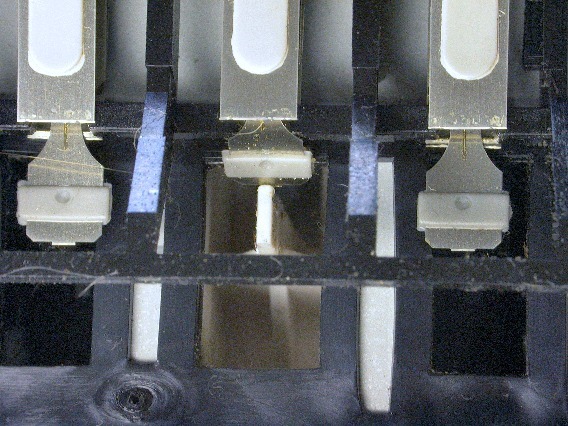
In this photo, the moving contact is stuck on the side of the key pusher and so the note doesn't trigger at all. Notice the small gold wires bonded to the moving contact. These are the actual electrical contact points. |
|
|
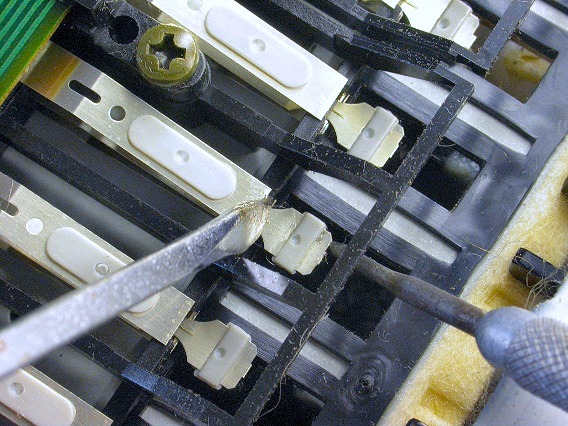
Often, you can fix a bent contact without removing the keybed from the synth. Position a small tool over the contact's crease, then pull up on the end of the contact with another tool. If the contact problems are more severe, it might help to take the whole keybed out of the synth. |
|
| Yamaha® FS Keybed | ||
|---|---|---|
|
Last Page < |
Page Top ∧ |
Next Page > |
|
|

|
|
|
Page design and content Copyright © Richard Diemer - All rights reserved |
|